live on both screensreal app screens · demo data
Same session. Every screen.
Start a session at your desk, pick up the very same one on your phone, answer from either. It stays in sync through lost signal and restarts — your agents keep working, and you keep the final say. They run on your own computer, in the AI coding CLI you already use (Claude Code, Gemini, Codex).
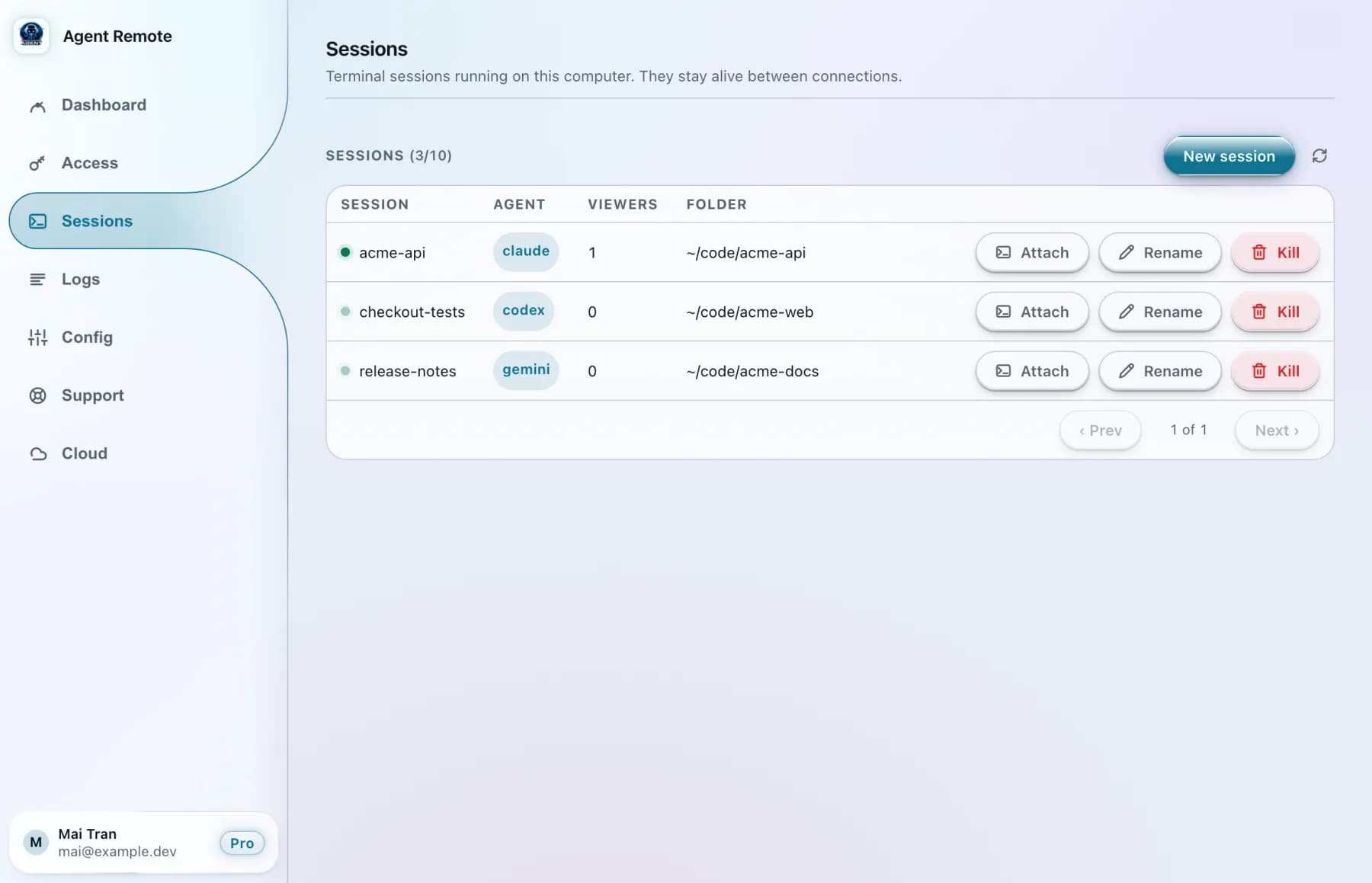
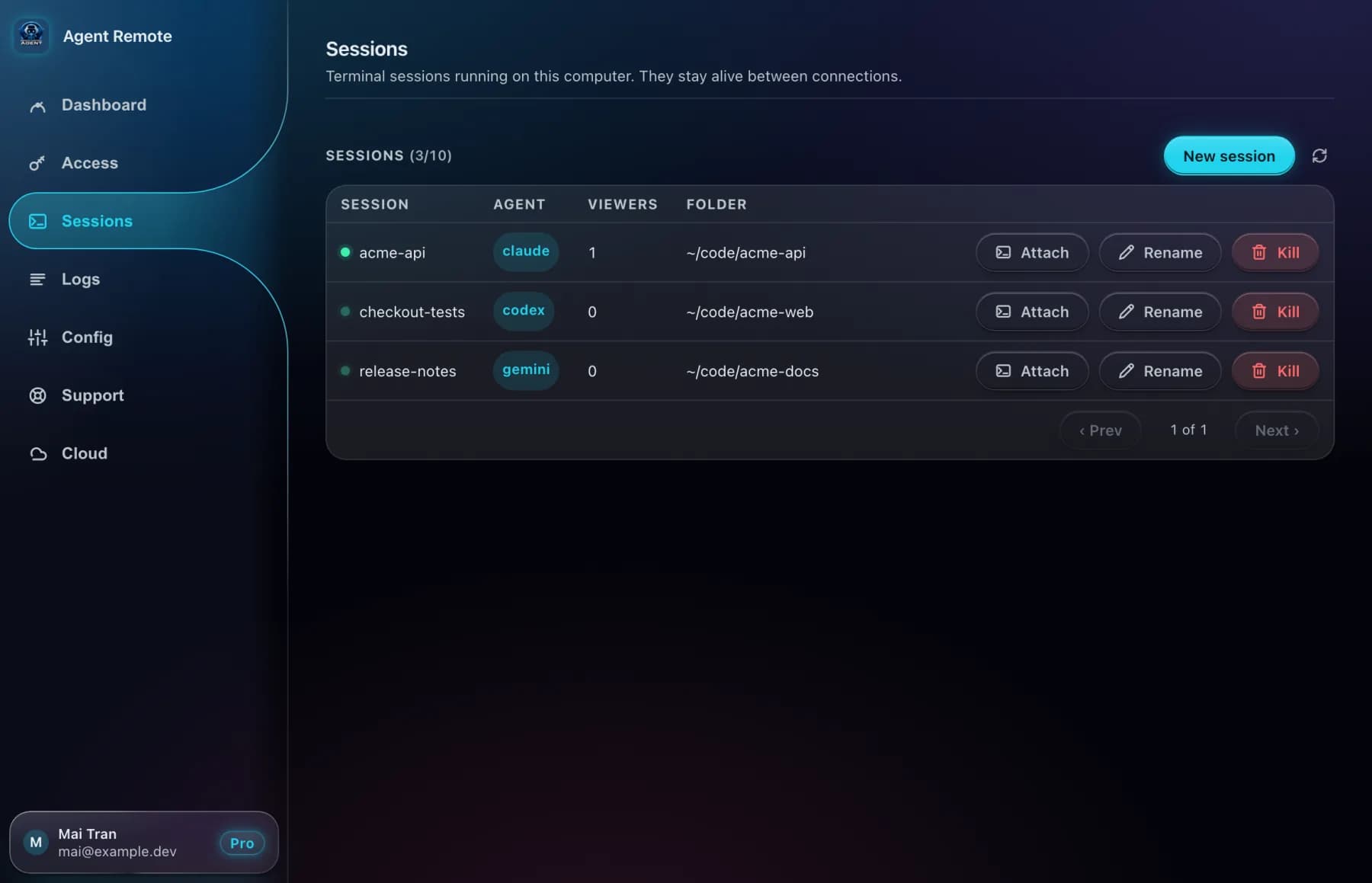
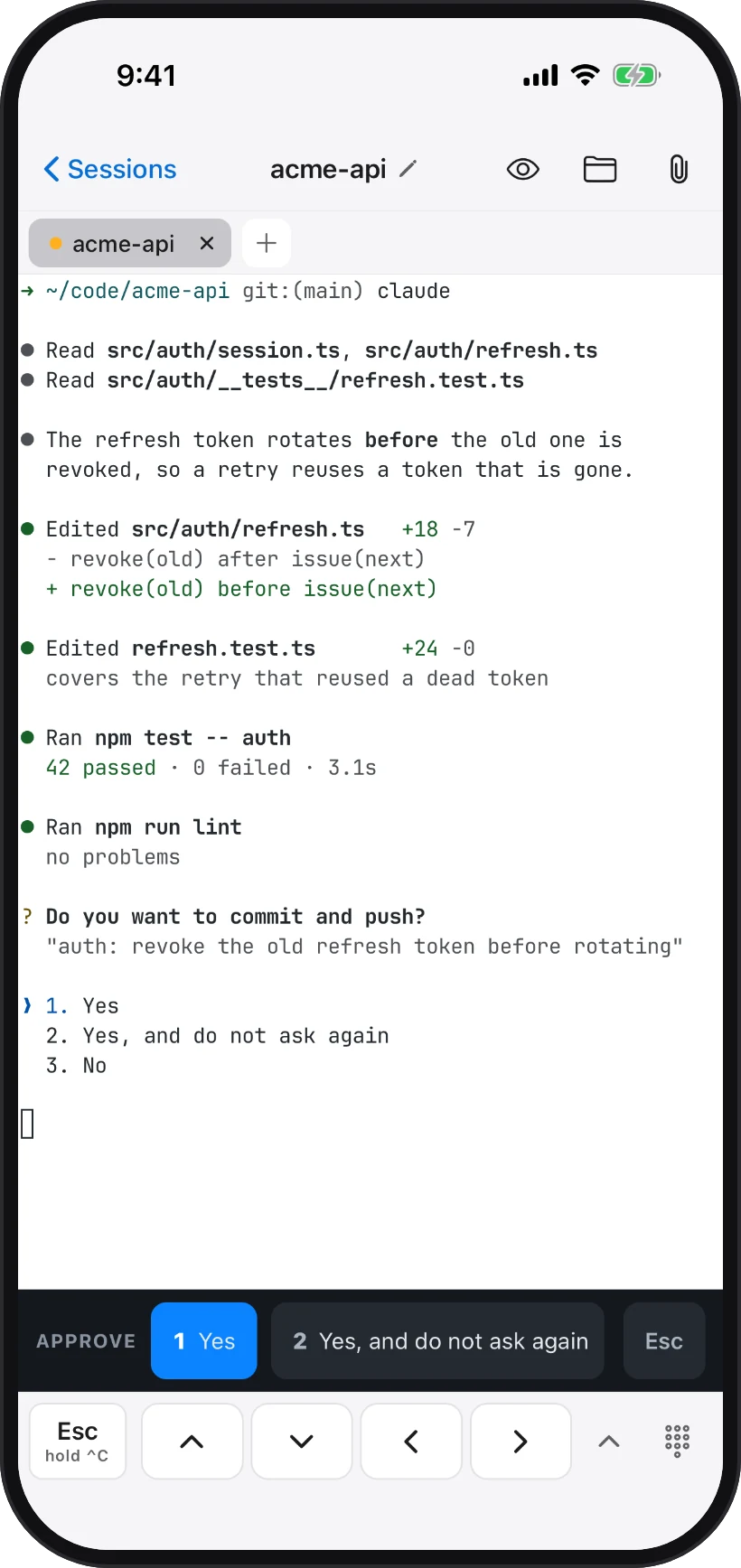
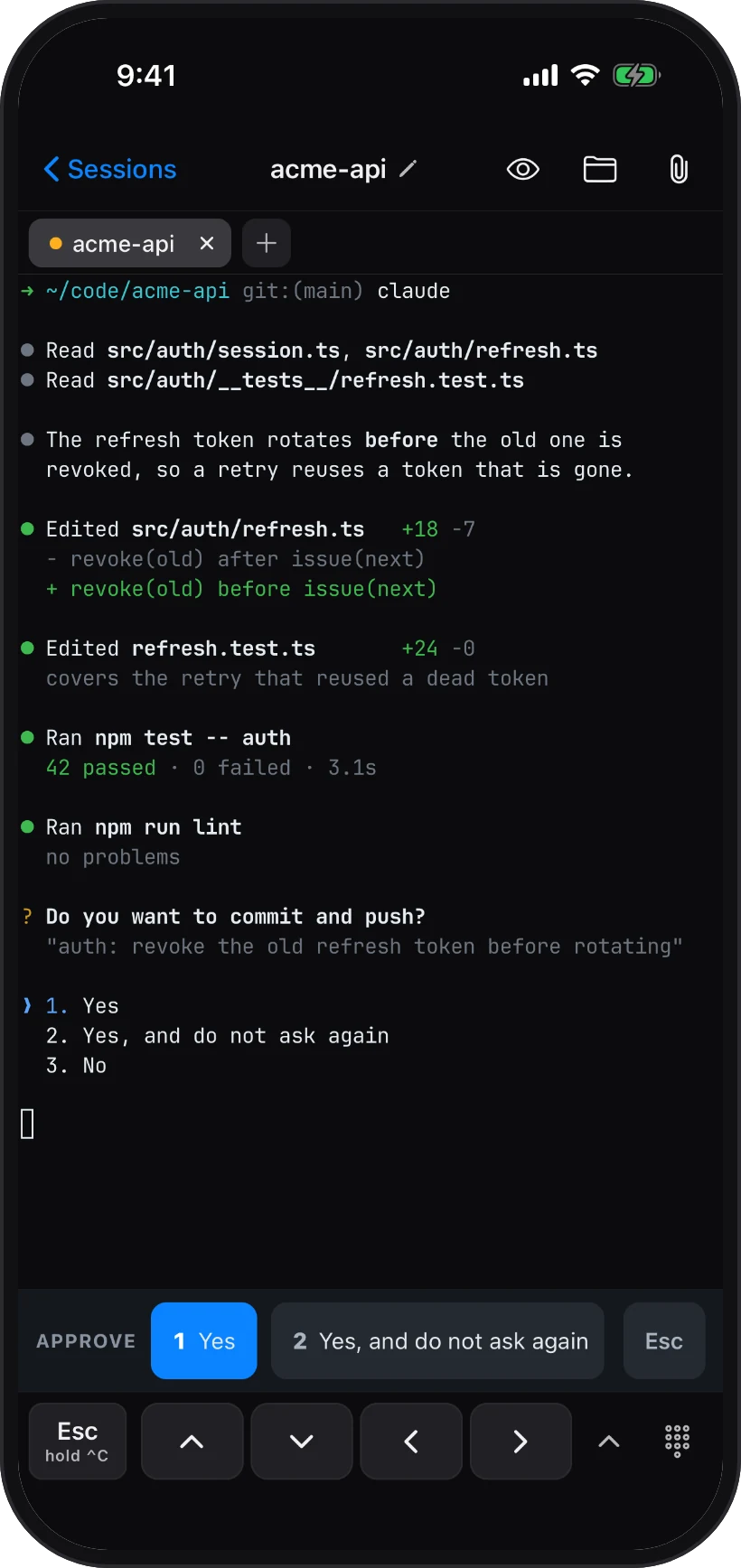
1Same session, live on both — answer from either
See it in 30 seconds.
Pair once, leave your desk, and keep the same session going from your phone — approve, preview and commit from anywhere.
One session. Two screens. Live on both.
It is the same session on your computer and your phone — not a copy, not a recording. Output appears on both at the same moment, and you can type from either side, so switching is just picking up the other screen.
● Read src/auth/session.ts, src/auth/refresh.ts
● Read src/auth/__tests__/refresh.test.ts

● The refresh token rotates before the old one is
  revoked, so a retry reuses a token that is gone.

● Edited src/auth/refresh.ts   +18 -7
● Edited refresh.test.ts       +24 -0
● Ran npm test -- auth
  42 passed · 0 failed · 3.1s

? Do you want to commit and push?
  "auth: revoke the old refresh token before rotating"
❯ 1. Yes
  2. Yes, and do not ask again
  3. No
- 09:10 · at your desk
Start on the computer
Start a session in the app, attach to it in a terminal, and ask Claude to fix the token bug.
- 09:25 · heading out
Pick it up on the phone
The same session is already there, mid-thought. It asks to commit — tap Yes.
- 10:05 · back at your desk
Nothing to catch up on
The terminal shows everything that happened while you were away. Keep typing.
Always in sync — even when things go wrong
- Pro
Every phone, the same session
Your phone and your tablet follow the same live session, and you can type from any of them. Up to 3 devices on Pro, 15 on Pro Max.
- Every plan
Lose signal, lose nothing
Lock the phone, walk out of Wi-Fi range, even restart the app on your computer. The agent keeps going, and when you are back in touch your sessions are all still there.
real app recording · demo data - Every plan
Restart the computer, keep your sessions
After a restart your sessions come back on their own: same names, same folders, on the computer and on your phone.
- Pro
All your computers in one app
Switch between the laptop and the desktop from the same list. 2 computers on Pro, 5 on Pro Max.
real app screen · demo data
Point at it, and the agent hears you.
Open what the agent built, circle what is wrong, browse and fix the code, review and ship the change — all from the phone. A note from the preview or the device screen lands in the agent's session as a line it acts on.
See what it built — and circle what's wrong
Your dev server, running on your computer, opens right inside the phone app. Tap Mark, draw a box around the problem, say what to change. The note goes straight into the agent's session.
- 1Preview → Web app → pick the port your dev server runs on
- 2Tap Mark and draw a box on the page
- 3“What should the agent change here?” — type it, Send
- 4“Queued for the agent” — it arrives in the session
[phone feedback] region 14,602 362×48 on the app at port 5173 — make the checkout button sticky

● Found the checkout bar in src/components/Checkout.tsx
● Edited Checkout.tsx   +1 -1
  - className="checkout"
  + className="checkout sticky bottom-0"
● The dev server reloaded — check the preview.
Your iOS simulator or Android emulator, live on the phone
Building a mobile app? The simulator or emulator running on your computer streams live to your phone — watch the agent's change land on the real screen. Running a simulator and an emulator at once? Pick the one to watch. It is for looking: to change something, mark it and tell the agent.
- 1Preview → Device screen
- 2Watch it live while the agent works
- 3Tap Mark, draw a box on the device screen
- 4Send — the note names the region and the device
[phone feedback] region 8%,57% 84%×8% of the iOS simulator screen (1179×2556) — the price is cut off on small screens

● The price row uses a fixed width in ProductCard.tsx
● Edited src/components/ProductCard.tsx   +3 -3
  - style={{ width: 64 }}
  + style={{ flexShrink: 0, minWidth: 64 }}
● Reloaded the app — check the device screen.
Browse the code, and flag a line
Every file in the session's folder, from your phone. Read it, edit it, save it — or tap a line number and leave the agent a note about that exact line.
- 1Folder button → Files
- 2Filter files, open one
- 3Tap a line number — “Tell the agent about line 42”
- 4“Sent to the agent” — the note waits for the agent, file and line attached
# “Sent to the agent” — your note is waiting for the agent,
# queued on your computer with the file and line attached:

src/auth/refresh.ts:42 — this is the bug — revoke before issuing the next token
Review the diff, commit, push
See exactly what the agent changed, file by file, line by line. Write the message, commit — and push in the same tap. Or throw a change away.
- 1Folder button → Changes
- 2Open a file to read its diff
- 3Commit message, “Push after commit” on
- 4Commit & Push — or discard a file's changes
# Commit & Push runs on your computer's own copy of the repo —
# check it from any terminal there:

➜ ~/code/acme-api git log --oneline -2
4c1e9a2 auth: revoke the old refresh token before rotating
9b07d1e auth: add refresh-token rotation

➜ ~/code/acme-api git status
On branch main
Your branch is up to date with 'origin/main'.
nothing to commit, working tree clean
One session, from your desk to your pocket.
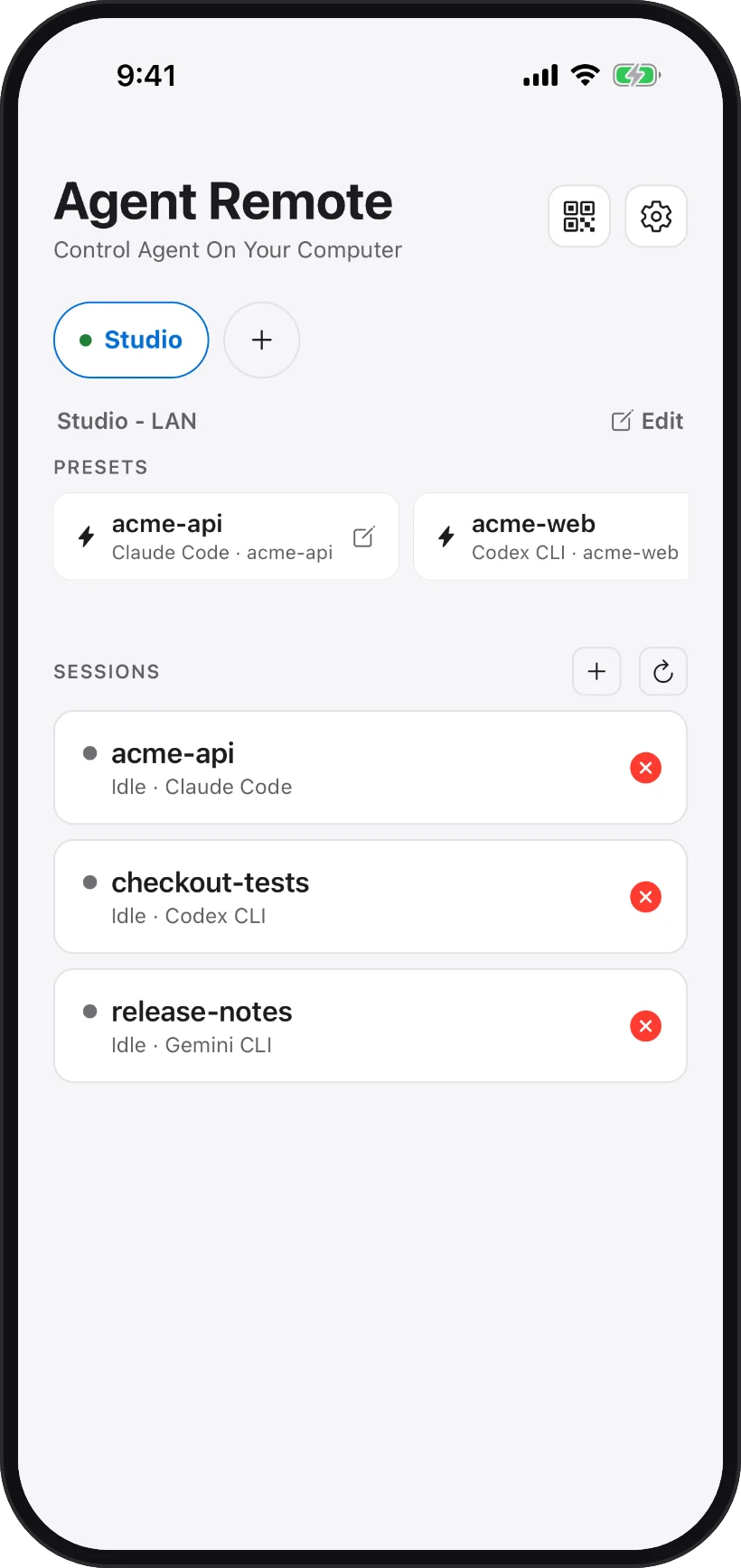
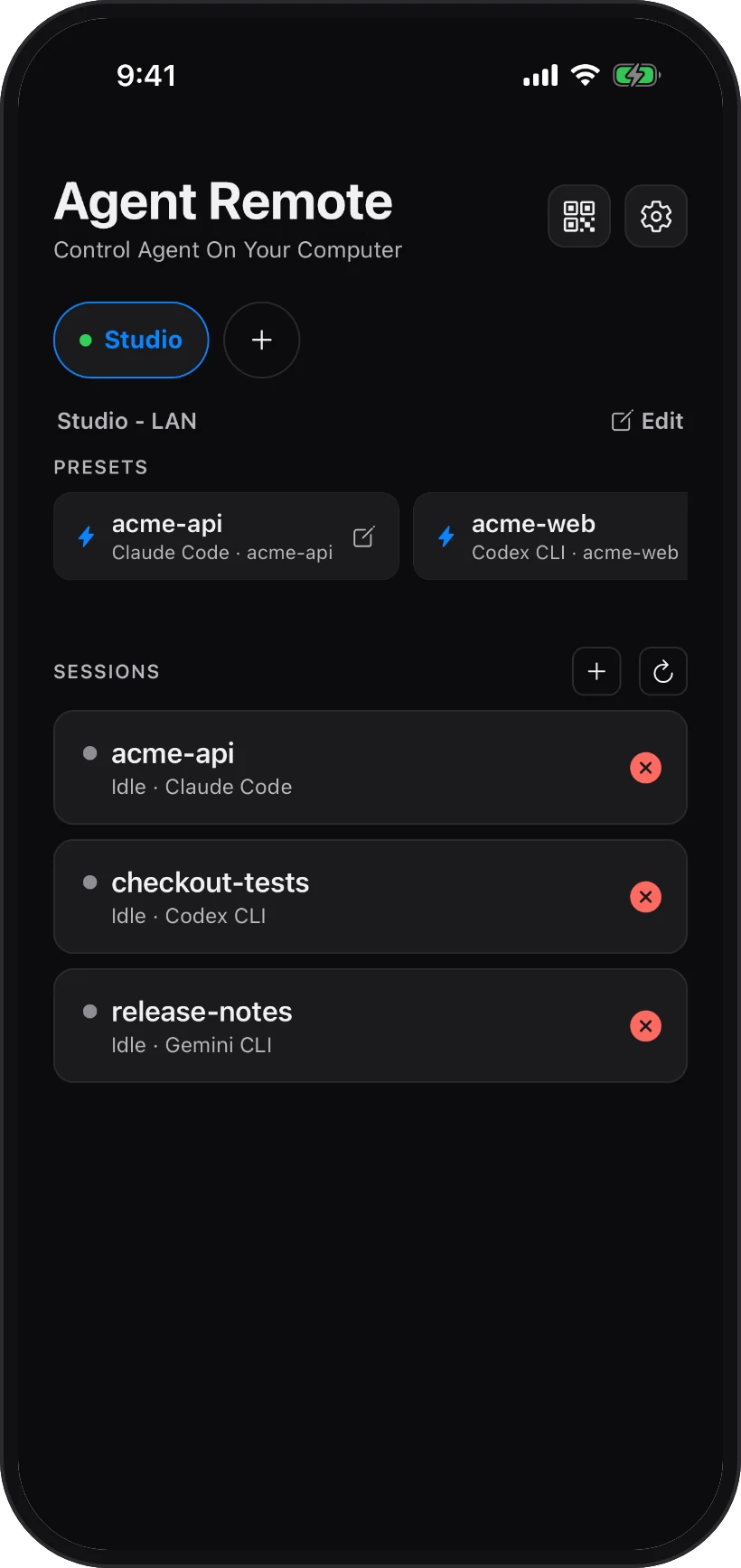
Several sessions at once, the same on every screen — start them at your desk and pick any one up on your phone.
- 1Several sessions at once
- 2Start one from here…
- 3…attach or end any of them
The agent runs where your code lives. You don't have to.
Everything happens on your computer. Your phone is the window, the keyboard and the approve button.
Reach your computer from anywhere
Pair once on your own network. With Pro, keep going from the train, the café, the other office. Nothing you type or see passes through us.
Sessions carry on without you
Lock the phone, lose signal — the agent keeps working on your computer, and you catch up when you're back.
Answer in one tap
When an agent asks, the answers appear as buttons. With Pro, a notification tells you it is waiting — tap it and answer.
Every phone, its own role
With Pro, each paired phone is full, operate or view — and sees only the sessions you allow.
See what it built
Your dev server or a simulator, on your phone — mark it up for the agent. Pro.
On your phone in about two minutes.
- 1
Install on your computer
The app runs quietly beside your agents and keeps your sessions running. Secure by default.
- 2
Scan to pair
The phone gets its own key. Nothing shared.
- 3
Start a session
Pick a folder and an agent — or a saved preset.
Free on your network. $5 to take it anywhere.
Every plan runs the same app. Pro raises the limits and adds reach, preview, lock-screen answers and a role for each phone. Pro Max is Pro with room for more computers, phones and sessions. Seven days of Pro, no card required.
Free
Your machine, on your own network.
- Terminal on your LAN
- Use the AI coding CLI you already have — Claude Code, Gemini, Codex…
- 1 mobile device
- 1 concurrent session
- Persistent sessions
- 1 workspaces
- Free forever
Pro
Launch price $5/monthRegular price $9
For your first 12 months. Then $9/month. Cancel anytime.
Offer ends 15 January 2027
Launch price $48first yearRegular price $84
For your first year. Then $84/year.
Offer ends 15 January 2027
Your machine, from anywhere.
- 7-day free trial — no card
- Reach your computer from anywhere
- 2 computers
- 3 mobile devices
- 10 concurrent sessions
- Web & simulator preview
- Push notifications
- Audit log
- Advanced device permissions
Pro Max
Launch price $19/monthRegular price $29
For your first 12 months. Then $29/month. Cancel anytime.
Offer ends 15 January 2027
Launch price $180first yearRegular price $276
For your first year. Then $276/year.
Offer ends 15 January 2027
Pro, with room for more computers.
- Everything in Pro
- 5 computers
- 15 mobile devices
- 50 concurrent sessions
- Priority support
Pro and Pro Max are billed by Paddle, our merchant of record. Taxes are calculated at checkout based on your location. Cancel anytime. The launch price covers the first 12 months of a monthly plan, or the first year of a yearly plan only. After that, the regular price applies.